

Find any answer, move questions safely, read ratings at a glance
Finding one answer used to mean exporting everything and hunting through a spreadsheet. Moving questions around a long survey meant hoping the logic held. And a rating on an individual response was a bare number with nothing to say what it was out of.
This week’s improvements fix all three.
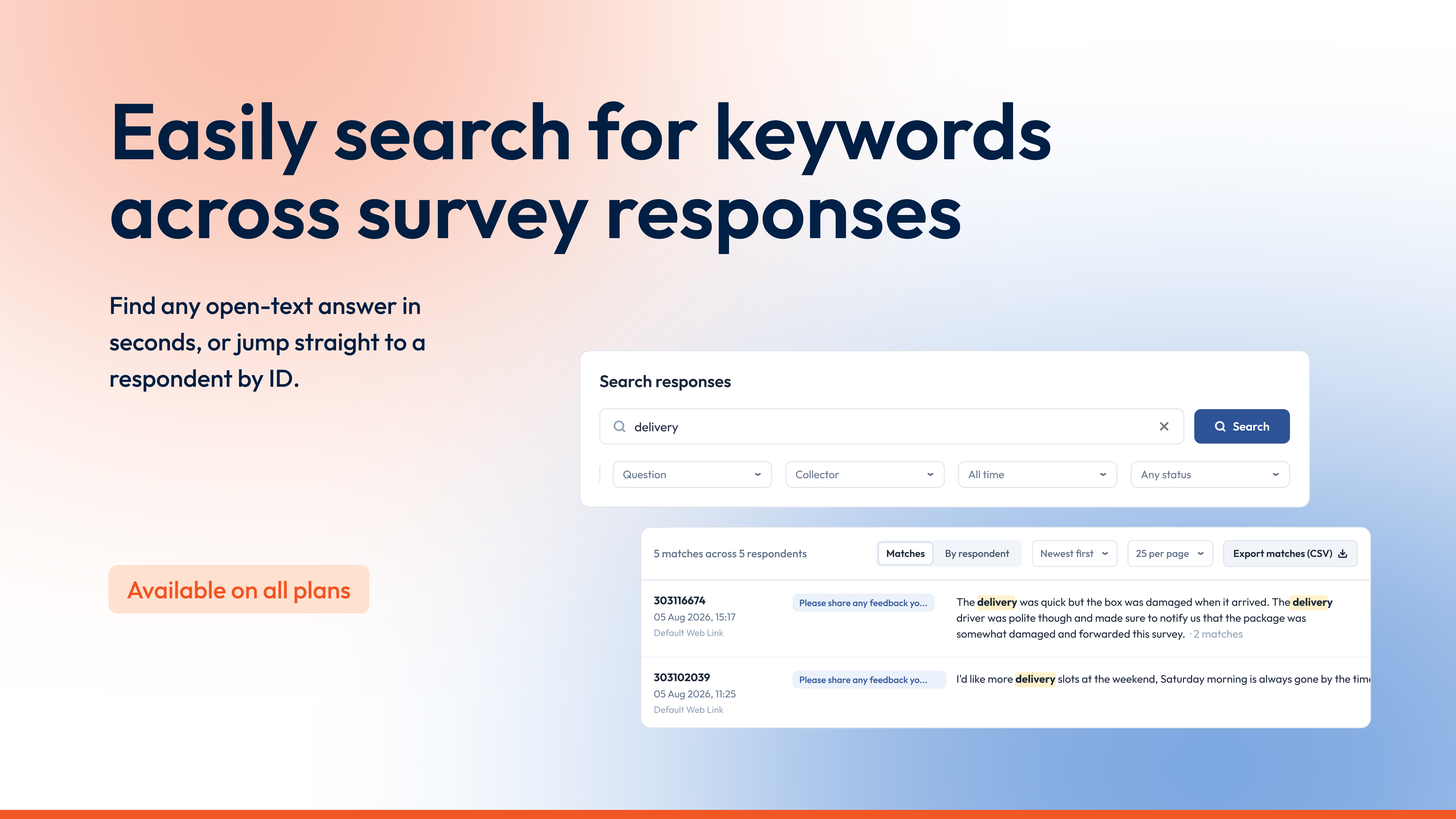
Find every phrase or word across your open-text answers
A respondent mentioned a delivery problem three weeks ago, and now you need their exact words. Until now that meant scrolling the responses list, or exporting the lot to search it in Excel.
The new Search page finds any open-text answer in your survey. Type a word or phrase and every answer that mentions it appears, with your search terms highlighted. Switch to By respondent to read one person’s matching answers together, or type a respondent’s ID into the same box and a Jump to respondent card takes you straight to them.
Three match modes control how loosely words are matched: any word, all words, or the exact phrase. Filters narrow the results by question, collector, date and completion status. Select any result to open the full response in the sidebar and step through the rest without leaving the page, or select Export matches (CSV) to take the whole result set with you.
To run your first search:
- Open your survey and go to Analyze
- Select More, then Search
- Type what you’re looking for and select Search

Introducing a better way to organize your surveys
Restructuring a long survey is nervous work. Move the wrong question and a skip rule points at a page that no longer follows, a carry-forward loses its source, and the first you hear of it is a confused respondent. So surveys stay in an order nobody would choose today.
The rebuilt Organize page shows you what a move will touch before you commit. Every page and question carries tags for the logic attached to it, covering page logic, display logic, skip logic, randomization and carry-forward, and each page spells out its page logic in full. The page checks your moves against page logic, display logic, skip logic and carry-forward before anything saves, split into problems that must be fixed and warnings worth a look. The old page checked carry-forward alone.
Moving things is faster too. Select several questions at once and send them to any page in one go, drag a selection as a single block, or reorder entirely from the keyboard. A filter box finds any question by its text, and an outline panel on the right jumps to any page or accepts questions dragged straight onto it. Question numbers now run across the whole survey, matching what your respondents see.
Nothing changes in your survey until you select Apply changes, and you can hover over the button to see everything that’s pending. Select Discard changes to put the survey back to how it was when you arrived. A short tour points out the new controls on your first visit.

Read ratings at a glance on individual responses
Open a single response and a rating question used to answer you with a bare number. A 7 with nothing around it makes the reader do the work, and anyone looking at a printed copy in a review meeting had to know the survey to know the scale.
Rating questions now show their graphical scale on individual responses, with the respondent’s answer on it. An NPS® score, a CSAT rating or a star rating reads at a glance, in the app, on printed responses and in bulk exports of individual responses.
The scales are on by default in all three places. When you select Save As in the app, or run a bulk export, there’s an option to switch them off if you need the plainer layout.
A few things to know
- Search looks through open-text answers only, so answers picked from a fixed list are better served by filtering or cross-tabulation
- Search now includes partial responses as well as completed ones, so match counts can run higher than on the old page
- A response that has only just arrived can take a moment to appear in search results
- Search exports are capped at 20,000 rows, so narrow a bigger result set with a filter first
- On the Organize page, nothing saves until you select Apply changes, and Discard changes undoes everything since you arrived
- Rating scales don’t appear when respondents print their own responses, or in PDF copies attached by conditional email triggers
Get started and create your first survey


