

Shared views: include responses
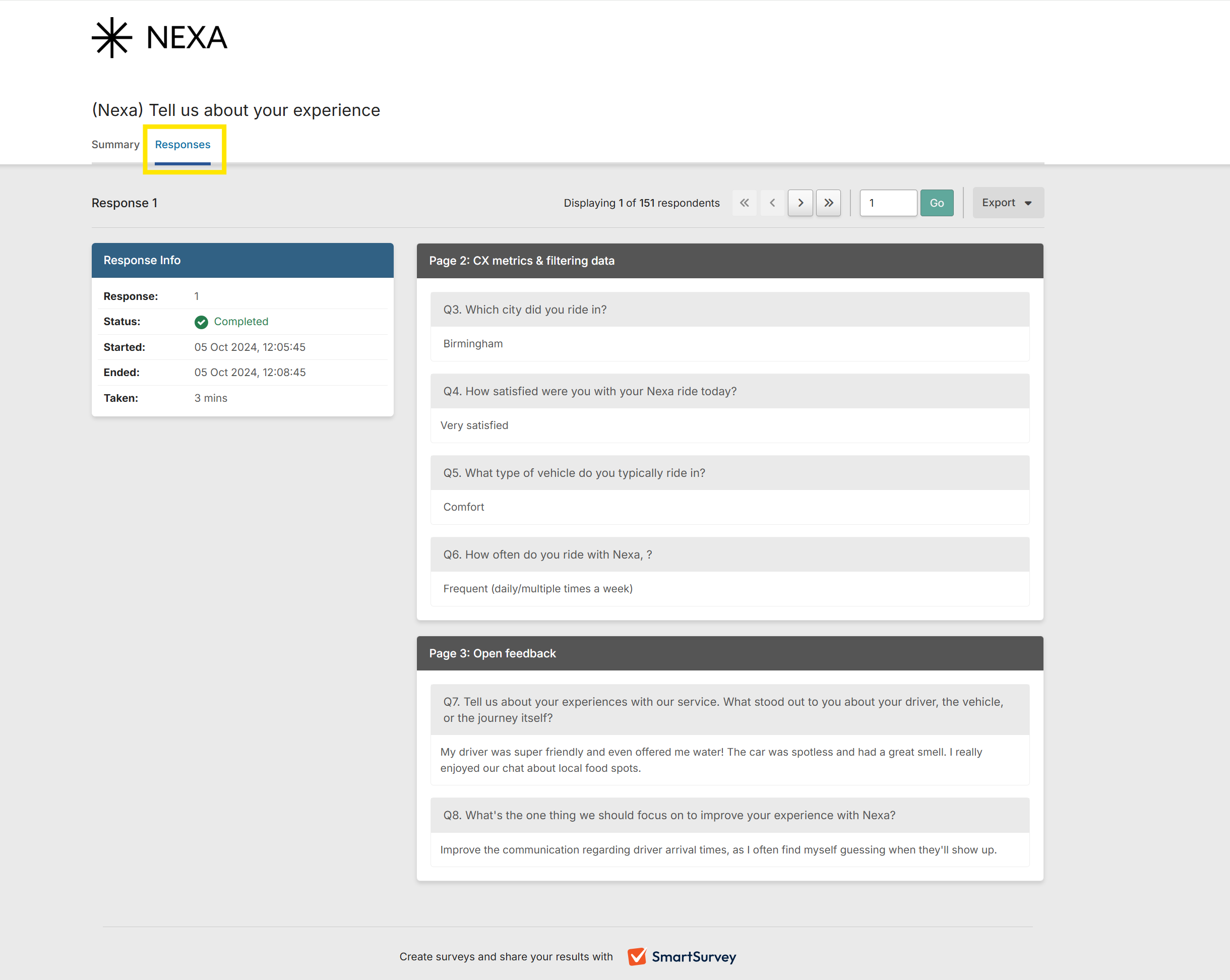
Shared views created from your Survey Results Summary now support individual responses. Alongside the summary, you can now give people outside your SmartSurvey account access to the individual response data, all from one shared link. This gives anyone reviewing results full context in a single place. Find our more about shared views here.
Slider question improvements
The slider question type now supports editable scale labels, so you can describe exactly what each end of the scale represents. We've also removed the default answer, so the slider can be left genuinely unanswered instead of defaulting to a preset value. This means optional slider questions are now truly optional. Find out more about slider scale questions here.
Custom domains on tracking links
If you're on our Scale, SmartCX Pro or Full Access plans, you now have access to the option to assign a different custom domain to each tracking link. This makes it possible to collect multi-brand feedback from a single survey, keeping all responses together for consistent reporting and insight. Find out more here. Raise a support ticket to find out more about enabling multiple custom domains on your account.
Survey webhooks
Survey-level webhooks are now available in the Automate section of your survey. Pick the events that trigger them, then shape the request to fit the tool you're connecting to: custom method, headers and body, with survey answers, scores and variables piped straight in. Everything is signed automatically and you can track delivery from the same screen. See our webhook documentation here.
Get started and create your first survey


